
What time is the Emergency Alert? Exact time message will be sent and what you need to do
Remind yourself what time the Emergency Alert text is due to arrive 🚨
- The UK government is testing its Emergency Alert system.
- Text messages will be sent to every phone in the country.
- But what time should you expect it to arrive?
An Emergency Alert text is set to arrive on your phone this afternoon, but don’t worry it is just a test. The government is dusting down the cobwebs on its nationwide alarm system once again.
It is the second such test, following the previous one in spring 2023, and will see the message sent to millions of phones across the country. Brits have been told what to expect and the kind of noise it will make.
Make sure you know what time to expect the message, so you aren’t caught out this afternoon. Here’s all you need to know:
What time is Emergency Alert test?
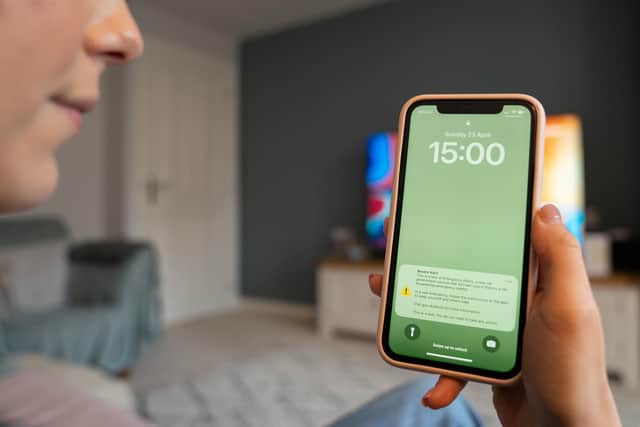

The message is set to be sent out to millions of phones across the country this afternoon (September 7). It is due to arrive at 3pm, but if it is anything like the previous test, it might take a few minutes extra, depending on your provider.
During the test your mobile phone or tablet will emit a loud siren-like sound and vibrate, even if it is set to silent. A message will appear on your screen confirming that this is only a test and that no action is required.
What do you need to do during the test?
Because it is a test and not related to a major weather incident or other emergency, there is nothing immediate you need to do once the message arrives. It will include a text that explains it is a trial of the system.
Who can send Emergency Alert messages?
Emergency Alerts are sent only by the Government and emergency services. They are a vital tool to help warn people about life-threatening situations in their area. Alerts are sent directly to mobile phones and tablets, meaning you can receive critical information quickly, wherever you are.
Can you opt out of the Emergency Alert?
If you don’t want to be disturbed by the text this afternoon, it is possible to opt out. On the government’s website it explains that while it advises they should be kept on, they can be turned off.
For example, victims of domestic abuse with a concealed phone may find it appropriate to turn off alerts. But others can also take the decision to switch them off.
If you have an iPhone or Android device, you can opt out by taking the following steps:
- Search your settings for ‘emergency alerts’.
- Turn off ‘severe alerts’ and ‘extreme alerts’.
Depending on the manufacturer and software version of your phone, emergency alerts settings may be called different names, such as ‘wireless emergency alerts’ or ‘emergency broadcasts’.
- The settings can usually be found in one of the following ways. Go to:
- ‘message’, then ‘message settings, then ‘wireless emergency alerts’, then ‘alert’
- ‘settings’, then ‘sounds’, then ‘advanced’, then ‘emergency broadcasts’
- ‘settings’, then ‘general settings’, then ‘emergency alerts’
- Then turn off ‘severe alerts’, ‘extreme alerts’ and ‘test alerts’.
Who will receive the Emergency Alert text?
Since the initial test two years ago, the system has been used on a handful of occasions - particularly around extreme weather. Alerts were sent out during Storm Darragh in 2024 and again in early 2025 for Storm Éowyn - the latter being its largest use so far.
The alerts can only be sent by the emergency services, government departments, agencies and public bodies that deal with emergencies. And you may get them in the event of severe flooding, fires and extreme weather - for example.
The test on September 7 will be sent to all phones in the UK, the government has confirmed. It adds that there are approximately 87 million mobile phones in the country.
Learn more about why the government is doing a second test of the emergency alert system here.